

The December Maxon One release delivers improvements to Cinema 4D, Redshift, ZBrush and Red Giant, upgrading workflows for sculpting, rendering and motion graphics design.
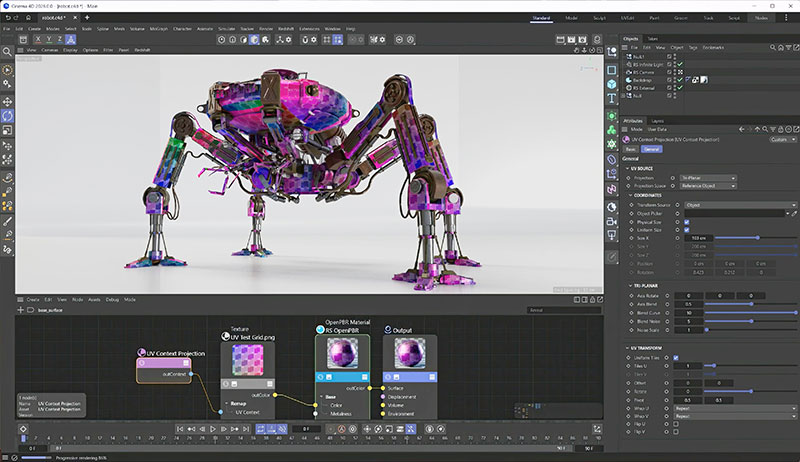
Redshift UV Projection Context node
The December Maxon One release delivers improvements to Cinema 4D, Redshift, ZBrush and Red Giant, upgrading workflows for sculpting, rendering and motion graphics design.
Cinema 4D - Mograph
Distributions are a new Cinema 4D feature that extends the potential of the MoGraph Cloner tool. With the Cloner, users can create a series of objects, distribute them within a scene and then bring them to life with Effectors and Fields – Effectors control and animate Mograph objects in specific ways, and Fields adjust an effect based on simple shapes, which can be layered, linked to multiple effects and so on.
A new built-in browser now allows users to explore the new set of ready-made distributions for the Cloner. They range from distributing objects of varying sizes along a spline without overlaps, to arranging clones in a pyramid or on a hexagonal 2D grid. These new options widen the scope for more creative possibilities in motion graphics.
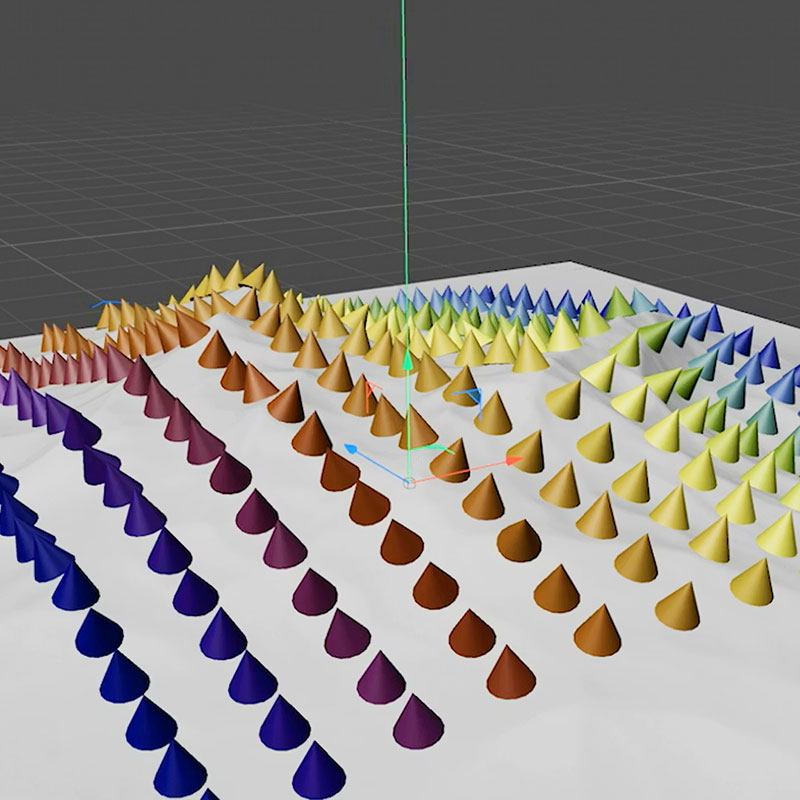
Projected 2D grid for distribution
Liquid Flow is an expansion of Cinema 4D's Unified Simulation Framework, with GPU-accelerated controls that bring fluid simulations into motion graphics projects. Maxon’s overall goal for this framework is to unify all simulation types, accessing the power of the host GPU and enabling bidirectional interaction with other simulation types. For instance, Liquid Flow is based on the existing particles. Fluid simulations not only share the same workflows as existing systems but also adopt the same principles in terms of performance for rapid iterations.
Cinema 4D's Take System is improved, able to come closer to the exact look the user wants, and speed up the creation of graphic variations to help iterate, compare and render multiple looks. Users can store variations of a scene in a single file, including object attributes and animation, lights, cameras, materials, textures and colour variations. Beyond simple render layers, users can create special render passes for compositing, modifying and saving almost any Cinema 4D setting within a Take.
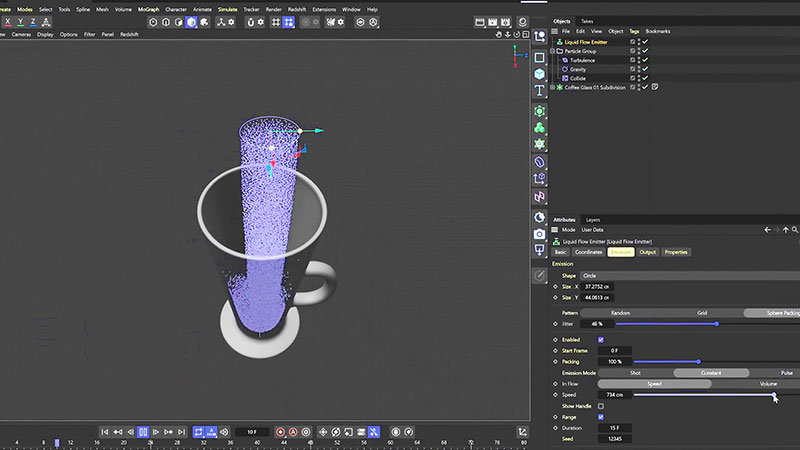
Liquid Flow for particle-based fluid simulations in Cinema 4D.
Redshift and Textures
The new Redshift Texture Displacement method performs faster with Redshift’s interactive photorealistic rendering (IPR) mode and requires minimal mesh subdivision, supporting dynamic, detailed surfaces with near real-time feedback. It suits both abstract design and hyperreal visuals. Its use of texel density, rather than vertex density, minimizes the number of subdivision levels required, and means less time is spent waiting to see the result of changes.
Redshift’s UV Projection Context node is a way to control texture placement more precisely. It manages transformations for a material after baking, preventing memory limits from intervening. Used together with the Texture Displacement (above), the UV Projection Context Node incorporates TriPlanar behaviour, that is, it allows control over Blend Noise and Noise Scale.
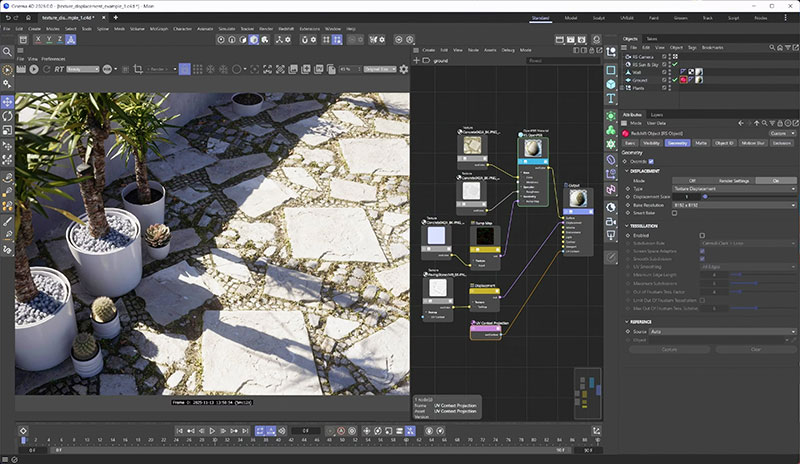
Texture Displacement
Cineware for Unreal
Cineware for Unreal Engine transfers motion graphics projects quickly for interactive playback with support for lighting and re-imports. Artists can create 3D models and animations in Cinema 4D for use when creating games, real-time graphics or other interactive content in Unreal Engine, while continuing to adjust specific attributes of the files directly within Unreal.
In this December release, Cineware for Unreal delivers precise lighting support. Imported lights now directly match Unreal’s attributes and include full support for Redshift scene units. Game levels are kept in sync by re-importing entire scenes or individual assets from the Content Browser.
Static meshes and sockets (attach points used to place objects on a static mesh) can either be directly integrated or converted into skinned meshes with Expanded Skeletal Mesh options. Smarter pipeline detection, automatic visibility, animation tracks and solid animation sequencing all make the exchange between Cinema 4D and Unreal faster and more reliable.
Video Editing and Compositing
Video creators now have the Maxon Studio Plugin tab to help them browse efficiently through Universe and Red Giant preset video effects and apply them directly when editing, compositing or designing motion graphics. The new tab is a unified hub for visually managing, discovering and launching all Red Giant and Universe tools, presets, Capsules and learning content.
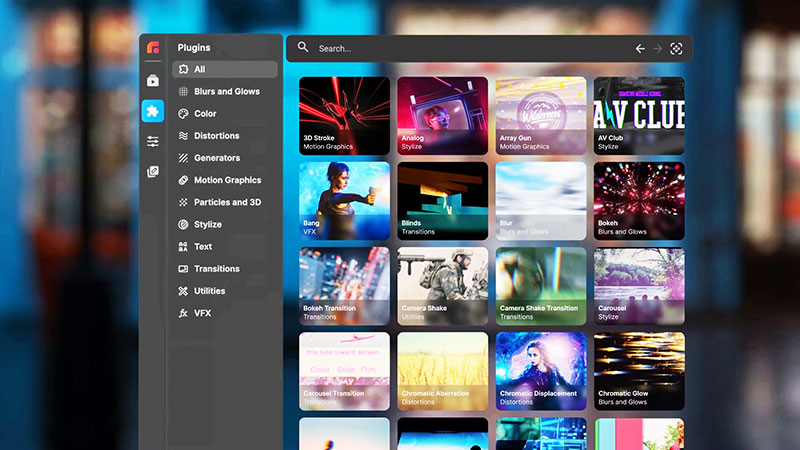
Maxon Studio Plugin tab
Zbrush – Sculpting, Characters, Games
ZBrush artists can use the new Retopology Brush to optimize meshes for animation and real-time engines. It makes it easier to stay in control when creating low-polygon topology, modifying or recreating an object’s polygonal mesh for a cleaner layout while maintaining nearly the same physical shape. Low-polygon models can then be exported to other software like Cinema 4D for animation or rendering in an uninterrupted workflow.
ZBrush for iPad allows users to create objects, creatures and characters before adding them to 3D projects. Maxon One’s file exchange process sets up an efficient workflow, and ZBrush for iPad is also compatible with many other applications.
ZBrush for iPad has a new Photogrammetry feature, using the iPad camera to capture real-life models from multiple angles. These are turned into editable 3D meshes that are useful for concept development and asset creation.
User Profile Folders now neatly merge ZBrush into a studio workflow, including smoother pipeline set-ups across multiple artists or locations. With the restructured folder system, users can organise files as preferred for a customised setup. A new Quick Search feature simplifies daily tasks by finding exactly what is needed without having to navigate complex menus. Sharing is also faster with improvements to image export and import, such as new large file export, multiple file import and the convenient auto-save for future sessions.
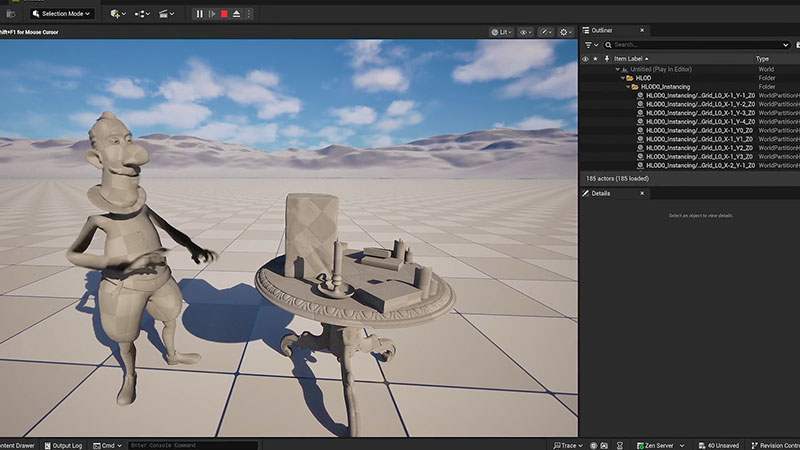
Cineware for Unreal Engine
The updates for Cineware for Unreal, described as above, also apply to ZBrush. The improved transfer of rigged characters, assets and materials from Cinema 4D ensure consistency from sculpt to engine.
Product Visualisation
For product visualisation, three of the features outlined above expand the Maxon One software’s visualisation capabilities, from retail environments to consumer goods. Redshift Texture Displacement is useful for adding dramatic abstract and realistically detailed surfaces, with almost instant feedback during iteration.
The new Distributions in Cinema 4D include Stack and Cannonball Distributions, a new way to generate merchandising displays, end caps and product stacks. The improved Take System quickly produces multiple colourways and product variations that help to speed up rendering and review cycles. www.maxon.net
Australian Distributor videocraft.com.au